The open resume standard
Your resume, as data.
Write your career once, or bring the resume you have, and publish it as a website, a PDF, a Word file or anything else you can build. Open source and free, since 2014.
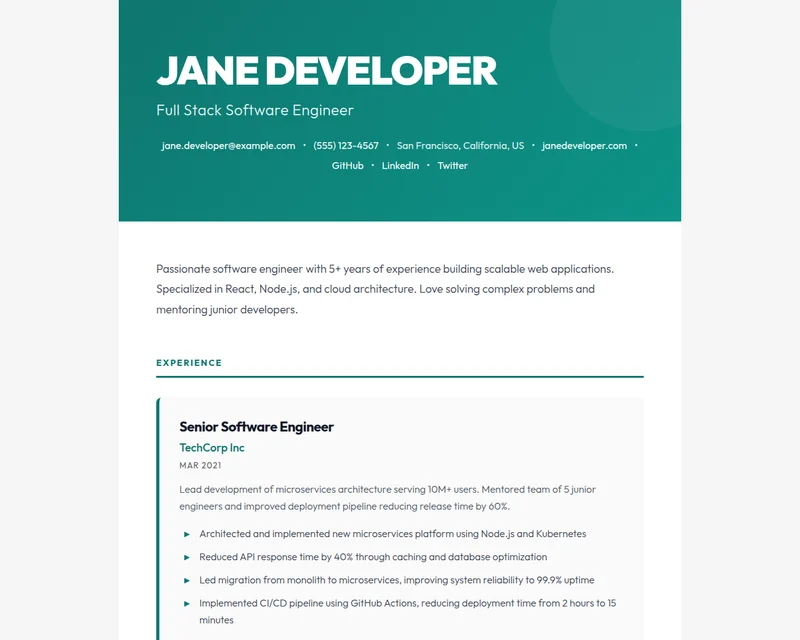
resume.json
{
  "basics": {
    "name": "Jane Developer",
    "label": "Full Stack Software Engineer",
    "email": "jane.developer@example.com"
  },
  "work": [{
    "name": "TechCorp Inc",
    "position": "Senior Software Engineer",
    "startDate": "2021-03-01"
  }],
  "skills": [{
    "name": "Frontend",
    "keywords": ["React", "TypeScript"]
  }]
}
- Themes
- 227
- GitHub stars
- 7,400+
- Open since
- 2014
How it works
One file, every format
Your resume stops being a document you keep reformatting and becomes data you own.
Write resume.json
Describe your work, education, skills and projects once, in JSON that follows the open schema.resume initgives you a starting file.Pick a theme
Preview the same data in any of 227 community themes, from print-ready classics to bold portfolios.Publish it
Save it as a GitHub gist namedresume.jsonand it is live on the registry, or export HTML and PDF with the CLI.
Themes
A look for every kind of career
Themes are open-source npm packages. Switch between them without touching your resume.
 Art School ModernCreative · AsymmetricAvant-garde gallery aesthetic for designers and artists. Oversized Archivo Black display type, an asymmetric off-grid header with a framed photo plate, an editorial Fraunces serif statement, catalogue-numbered sections, and a single vivid vermilion accent.0 public resumes
 Sidebar Photo StripCreative · Left sidebarEuropean creative layout with integrated grayscale photo sidebar and minimal aesthetic.5 public resumes
- Bold Header StatementBold · Single columnMagazine-inspired layout with commanding header and confident personal brand aesthetic.6 public resumes
 Art DecoRetro · Single column1920s Gatsby elegance with a symmetric centered masthead on a deep midnight-and-emerald jewel panel, metallic-gold accents, geometric chevron and sunburst dividers, and a high-contrast Cinzel didone-style display serif over a graceful Cormorant Garamond body.0 public resumes
 Typewriter ModernRetro · Date gutterNostalgic typewriter aesthetic with monospace body and contemporary clarity.0 public resumes
 BrutalistBold · Single columnRaw concrete brutalism with heavy 4px black rules, oversized uppercase Archivo Black headings, hard edges, monospace spec labels, numbered sections, and offset block-shadows. Stark black-on-white with a single harsh safety-yellow accent.2 public resumes
 Desert ModernModern · Single columnSun-baked Southwest palette of warm sand and terracotta with a calm, contemporary single-column layout.3 public resumes
 KendallModern · Right sidebarClean and readable resume theme286 public resumes
For developers, by developers
Plain JSON, real tools
- A JSON Schema you can validate in any language, in your editor or in CI.
- A CLI to start, check, preview and export your resume.
- A theme is an npm package with one render function: resume in, HTML out.
- A Rust crate and a RenderCV converter for tools built on top.
Terminal
npm install -g resume-cli

resume init                  # start a resume.json
resume validate              # check it against the schema
resume serve                 # preview it with a theme
resume export resume.pdf     # or .html, .md, .txt
Open source
Built in the open, by the people who use it
The schema, the CLI, every theme and this site are MIT licensed and maintained by volunteers on GitHub. Fix a typo, add a theme or propose a schema change.